Students are responsible for monitoring their financial aid status through the Self-Service portal. Within the portal, they can review their satisfactory academic progress, estimated cost of attendance, financial aid offer, and any outstanding requirements, if applicable.
How to Access the Financial Aid Section in Self-Service:
1. Sign in through myFAU using your FAU credentials.
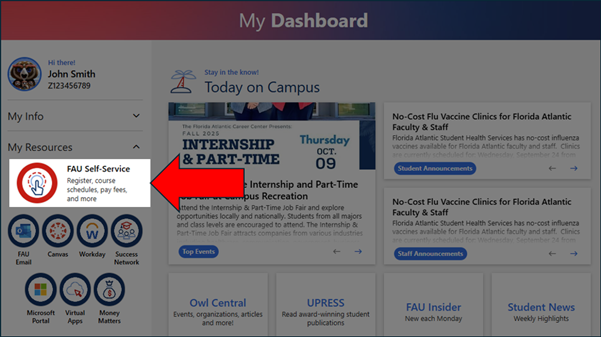
2. Select FAU Self-Service.
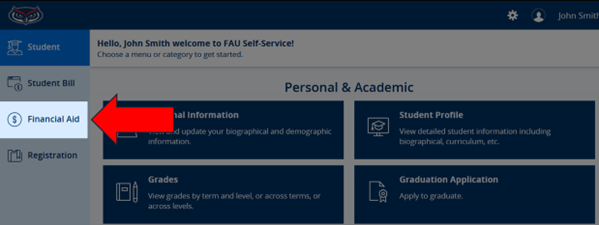
3. Select Financial Aid from the Menu Options.
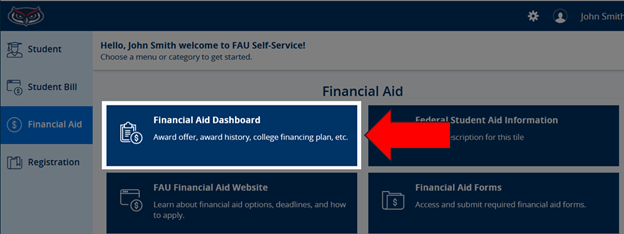
4. Select Financial Aid Dashboard.
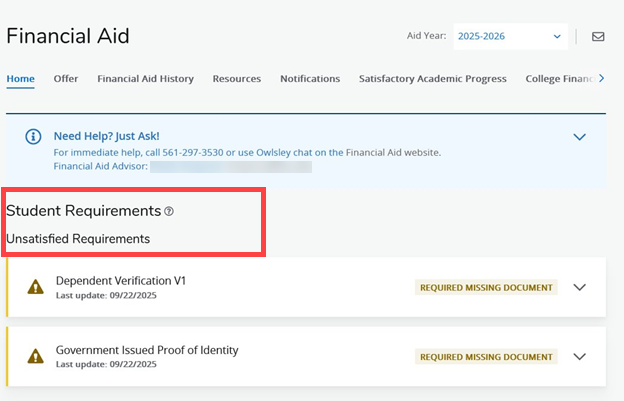
5. On the Home screen, you'll find details about any missing requirements or actions you need to take, along with menu options to view/accept your offer, academic progress, and other important information.
If you have any questions, contact us for assistance.
For steps on reviewing and accepting your financial aid, please view Accepting Financial Aid Offers.